Scan to play
Point a phone camera at the right code and the game opens.
iPhone

Android

Your neighborhood is haunted. Walk your real streets, track ghosts on a live map, then raise your camera and trap them with a lightning stream.
▶ Play now Free · runs in your phone browser · no app store neededPoint a phone camera at the right code and the game opens.
Four steps from your couch to your first capture.
The game reads your GPS and spawns ghosts on the actual streets around you. Everyone in the same spot sees the same ghosts.
Get inside your glowing 250-foot ring. Rare ghosts drift farther out, so a real walk pays off.
Tap the ghost and your camera opens. The ghost floats over the real world in front of you, dodging as you aim.
Hold the BLAST button to fire your lightning stream. Keep it on target, watch your heat gauge, and drain the ghost before it slips away.
Inside 250 feet the hunt goes to augmented reality: the ghost floats over your live camera view, dodging while you hold the lightning stream on it. Simulated previews; in play, the background is whatever your camera sees.
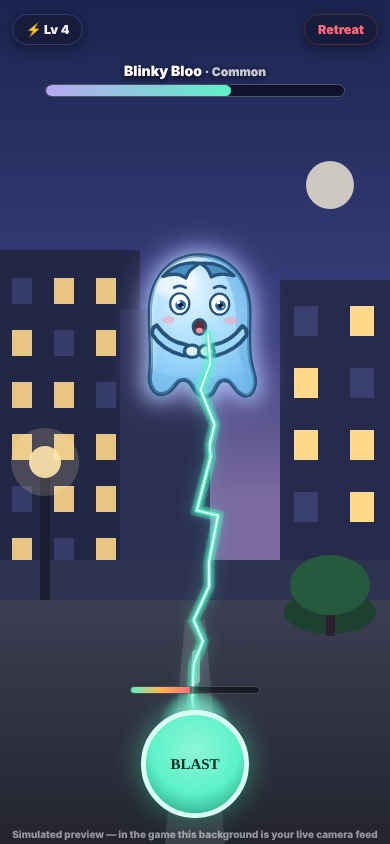
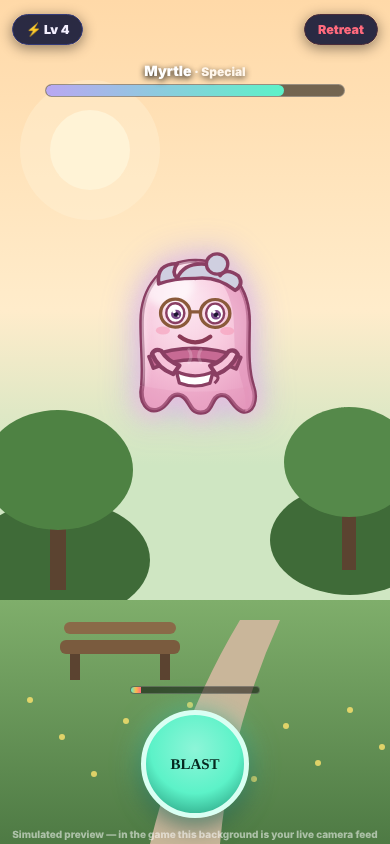
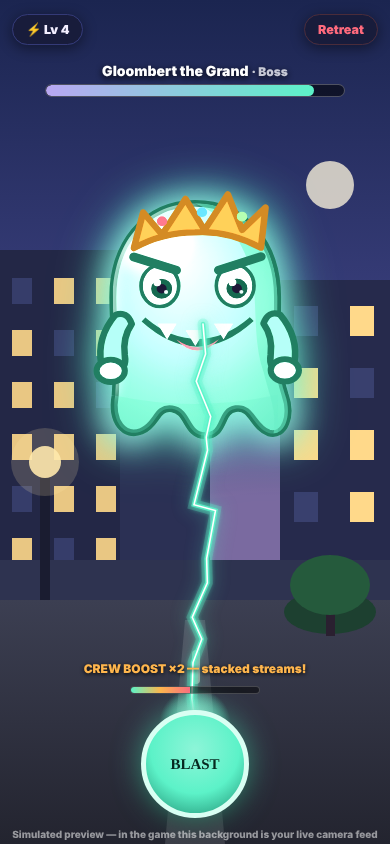
Twelve original spooks, from pushovers to a boss that wants your whole crew. Myrtle only drifts out at breakfast time; Hexa the witch flies evenings only.
Set a shared crew name with your friends. Every crewmate active in the last ten minutes stacks +0.5× onto your lightning stream, up to double power. That is how you melt Gloombert. A free shared ledger keeps one leaderboard for everyone.